
3ds Max & V-Ray - Beginner to Expert Masterclass
3ds Max & V-Ray - Beginner to Expert Masterclass
What you'll learn
This beginner-friendly course takes you from the basics of 3ds Max and V-Ray to creating stunning, photorealistic interior visualizations. Learn professional 3D modelling, realistic materials, lighting, cameras, and rendering techniques through hands-on projects that prepare you for real-world architectural and interior design workflows.
Language : Malayalam
Your Professional Toolkit
35 Hours of Expert content.
40 Sessions
Downloadable resources
Lifetime course access
Certification on project submission
₹ 2499 ₹ 3999
7-Day Cashback Guarantee
Not satisfied? Get a full cashback within 7 days.
Requirements:
A computer (Windows or Mac) capable of running 3ds Max.
Basic computer knowledge and a willingness to learn—no prior 3ds Max experience required

Language : Malayalam
Your Professional Toolkit
- 35 Hours of Expert Content
- 40 Sessions
- Downloadable Resources
- Lifetime course access
- Certification on project submission
₹ 2499 ₹ 3999
Requirements:
- A computer (Windows or Mac) capable of running 3ds Max Sotware.
- Basic computer knowledge and a willingness to learn—no prior AutoCAD experience required
Your learning phases
Milestone 1 – 3ds Max Foundations & Building Modelling
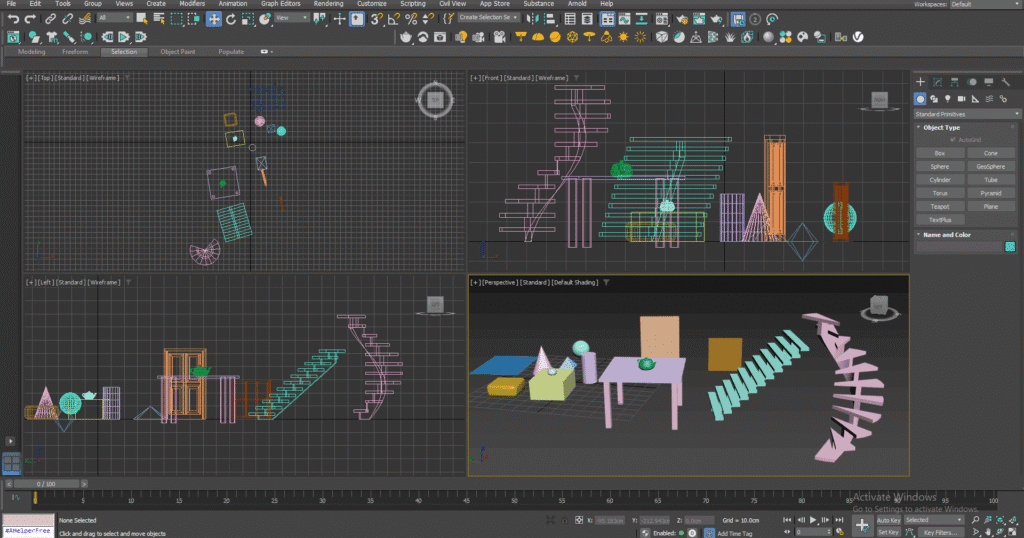
In this phase, you will build a strong foundation in 3ds Max and 3D architectural modelling, starting with the interface, navigation tools, geometric shapes, 2D shapes, transformation tools, and essential modifiers. You will learn how to organize and manage your models efficiently while developing a clear understanding of the core 3ds Max workflow. The phase also introduces doors, windows, staircases, and sloped roof modelling, including the use of the Atiles plugin for architectural roof creation—giving you the skills to build the essential structural elements of a complete 3D building model from scratch.
Milestone 2 – Exterior Design & Architectural Visualizationg
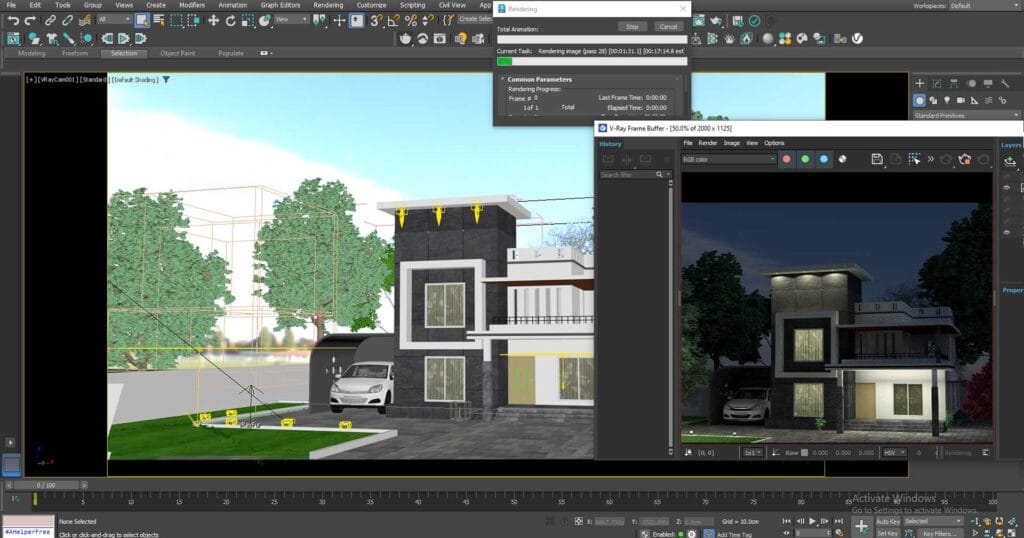
In this phase, you will transform your modelling skills into a complete residential exterior design workflow. You will learn how to import AutoCAD plans, develop a multi-level building structure including ground and first floors, and create realistic exterior elements such as landscaping, trees, plants, and other environmental details. You will also be introduced to V-Ray material creation and application, followed by professional scene setup using V-Ray Physical Camera and V-Ray Sun. By the end of this milestone, you will understand how to combine modelling, materials, lighting, and environmental elements to create a realistic architectural exterior visualization and produce a final V-Ray render.
Milestone 3 – Interior Design, Advanced Modelling & Final Rendering
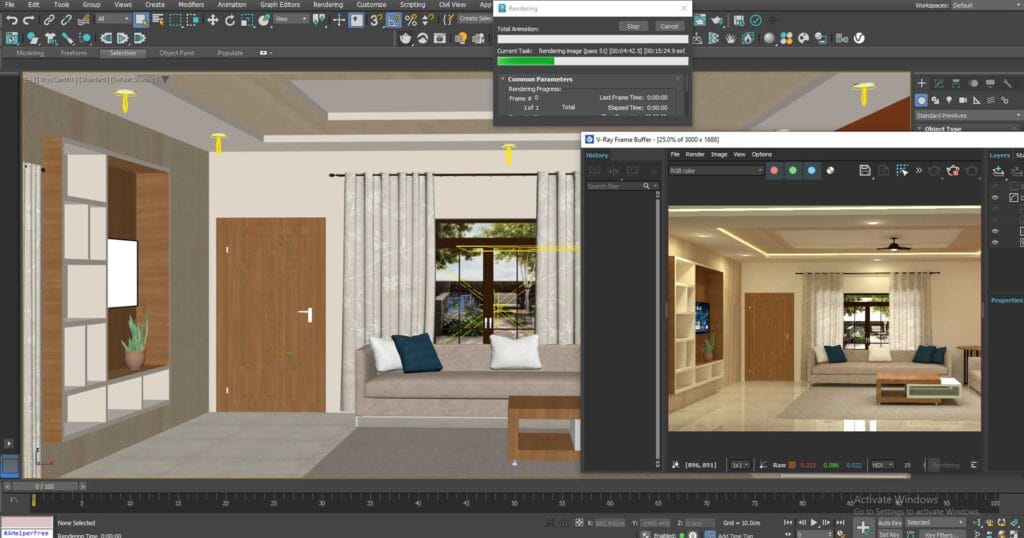
In this final phase, you will move into professional interior design and advanced 3D visualization, working on a realistic living-space environment. You will learn to build walls, floors, ceilings, and false-ceiling designs, apply realistic V-Ray materials, and populate scenes with furniture, decorative elements, indoor plants, and other architectural details. You will develop advanced modelling skills through Spline and Polygon modelling, while also exploring V-Ray IES lights, V-Ray Light, and V-Ray Light Material for controlled and realistic illumination. The milestone further introduces organic modelling, MassFX physics tools, and Cloth simulation for creating realistic objects, interactions, fabrics, curtains, cushions, and other details. Finally, you will apply these techniques to day and night exterior lighting, scene setup, and final rendering—bringing together your modelling, materials, lighting, and visualization skills to create professional-quality architectural renders.
Your learning phases
Milestone 1 – 3ds Max Foundations & Building Modelling
In this phase, you will build a strong foundation in 3ds Max and 3D architectural modelling, starting with the interface, navigation tools, geometric shapes, 2D shapes, transformation tools, and essential modifiers. You will learn how to organize and manage your models efficiently while developing a clear understanding of the core 3ds Max workflow. The phase also introduces doors, windows, staircases, and sloped roof modelling, including the use of the Atiles plugin for architectural roof creation—giving you the skills to build the essential structural elements of a complete 3D building model from scratch.
Milestone 2 – Exterior Design & Architectural Visualizationg
In this phase, you will transform your modelling skills into a complete residential exterior design workflow. You will learn how to import AutoCAD plans, develop a multi-level building structure including ground and first floors, and create realistic exterior elements such as landscaping, trees, plants, and other environmental details. You will also be introduced to V-Ray material creation and application, followed by professional scene setup using V-Ray Physical Camera and V-Ray Sun. By the end of this milestone, you will understand how to combine modelling, materials, lighting, and environmental elements to create a realistic architectural exterior visualization and produce a final V-Ray render.
Milestone 3 – Interior Design, Advanced Modelling & Final Rendering
In this final phase, you will move into professional interior design and advanced 3D visualization, working on a realistic living-space environment. You will learn to build walls, floors, ceilings, and false-ceiling designs, apply realistic V-Ray materials, and populate scenes with furniture, decorative elements, indoor plants, and other architectural details. You will develop advanced modelling skills through Spline and Polygon modelling, while also exploring V-Ray IES lights, V-Ray Light, and V-Ray Light Material for controlled and realistic illumination. The milestone further introduces organic modelling, MassFX physics tools, and Cloth simulation for creating realistic objects, interactions, fabrics, curtains, cushions, and other details. Finally, you will apply these techniques to day and night exterior lighting, scene setup, and final rendering—bringing together your modelling, materials, lighting, and visualization skills to create professional-quality architectural renders.